

Windows 10 End of Life: Free Security Updates Now Run to October 2027 (and How to Upgrade)
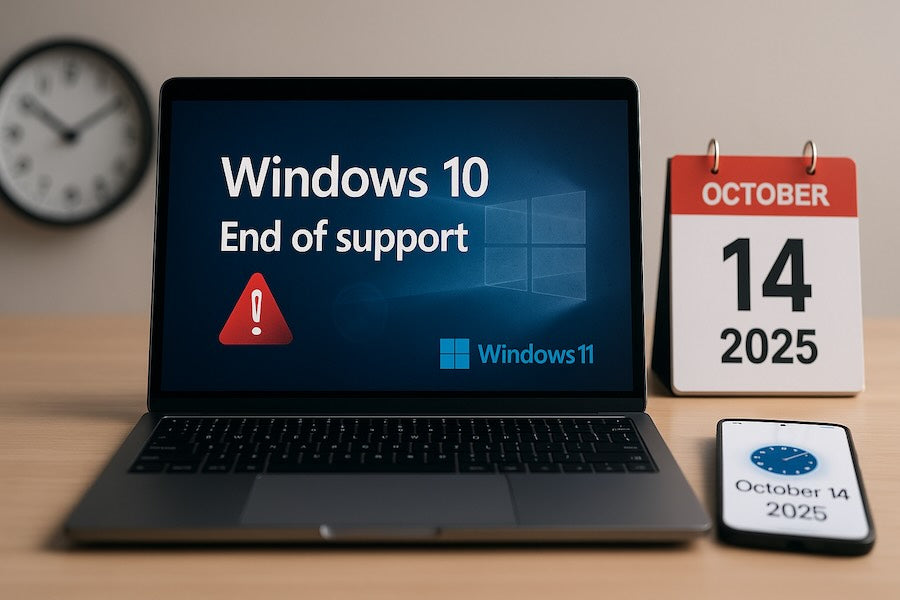
Short version: Windows 10 support ended October 14, 2025, but Microsoft extended free consumer security updates (ESU) to October 12, 2027.
If you enroll, your Windows 10 PC keeps getting security fixes for another year. Here's how to get Windows 10 extended security updates, what still won't work on Windows 10, and how to move to Windows 11.
Windows 10 End of Life: Where Things Stand
| Date | What happened |
|---|---|
| October 14, 2025 | Windows 10 reached end of support. No more free updates without ESU. |
| June 2026 | Microsoft extended consumer ESU by a year. |
| October 12, 2027 | Consumer Extended Security Updates end. |
How to Get Windows 10 Extended Security Updates (ESU)
Consumer ESU is free if you sync your PC settings with Windows Backup. Otherwise you can redeem 1,000 Microsoft Rewards points or pay a one-time $30. One enrollment covers up to 10 PCs on the same Microsoft account.
- Make sure the PC runs Windows 10 version 22H2 with the latest updates.
- Sign in with a Microsoft account that has administrator rights.
- Go to Settings > Update & Security > Windows Update and select Enroll now.
- Already enrolled? Your coverage extends to October 12, 2027 automatically.
Who can't use consumer ESU
PCs joined to a work domain or Microsoft Entra ID, managed by an MDM, or set up as kiosks aren't eligible. Businesses buy commercial ESU instead.
What ESU Doesn't Fix
ESU only delivers security patches. New software keeps dropping Windows 10:
- TurboTax 2026 requires Windows 11 or macOS Sequoia. See our TurboTax 2026 guide.
- Office 2024 support on Windows 10 ended October 14, 2025. See which Office version to buy.
- No new Windows features, and fewer apps and drivers will test on Windows 10.
Can My PC Run Windows 11?
Open the PC Health Check app or check Settings > Update & Security > Windows Update. Windows 11 requirements are a compatible 64-bit processor (2+ cores, 1 GHz), 4 GB of RAM, 64 GB of storage, UEFI with Secure Boot, and TPM 2.0.
- Your PC qualifies: eligible Windows 10 PCs can upgrade to Windows 11 through Windows Update.
- Your PC doesn't qualify: enroll in ESU to stay protected through October 2027 while you plan a replacement.
- New build or a PC without a license: you'll need a Windows 11 license. Windows 11 Home or Windows 11 Pro.
Choosing an edition? See Windows 11 Home vs Pro. A Windows 11 key doesn't change hardware requirements, so check compatibility first.
Frequently Asked Questions
Is Windows 10 end of life?
Yes. Windows 10 support ended October 14, 2025. Consumer PCs enrolled in Extended Security Updates get security fixes until October 12, 2027.
How long will Windows 10 get security updates?
For home users enrolled in consumer ESU, until October 12, 2027.
Is Windows 10 ESU free?
Yes, if you sync your settings with Windows Backup. You can also redeem 1,000 Microsoft Rewards points or pay a one-time $30.
How do I enroll in Windows 10 ESU?
On Windows 10 22H2, sign in with an admin Microsoft account and go to Settings > Update & Security > Windows Update > Enroll now.
Can I keep using Windows 10 after 2027?
It will still run, but it won't get security fixes after October 12, 2027, and more apps, including TurboTax 2026, already require Windows 11.
What are the Windows 11 requirements?
A compatible 64-bit processor with 2+ cores at 1 GHz, 4 GB RAM, 64 GB storage, UEFI with Secure Boot, and TPM 2.0.
Sources
- Microsoft: Windows 10 Extended Security Updates
- BleepingComputer: Microsoft extends free Windows 10 ESU to October 2027 (June 25, 2026)
- Microsoft: Windows 11 specifications and requirements
Last reviewed October 10, 2026.