


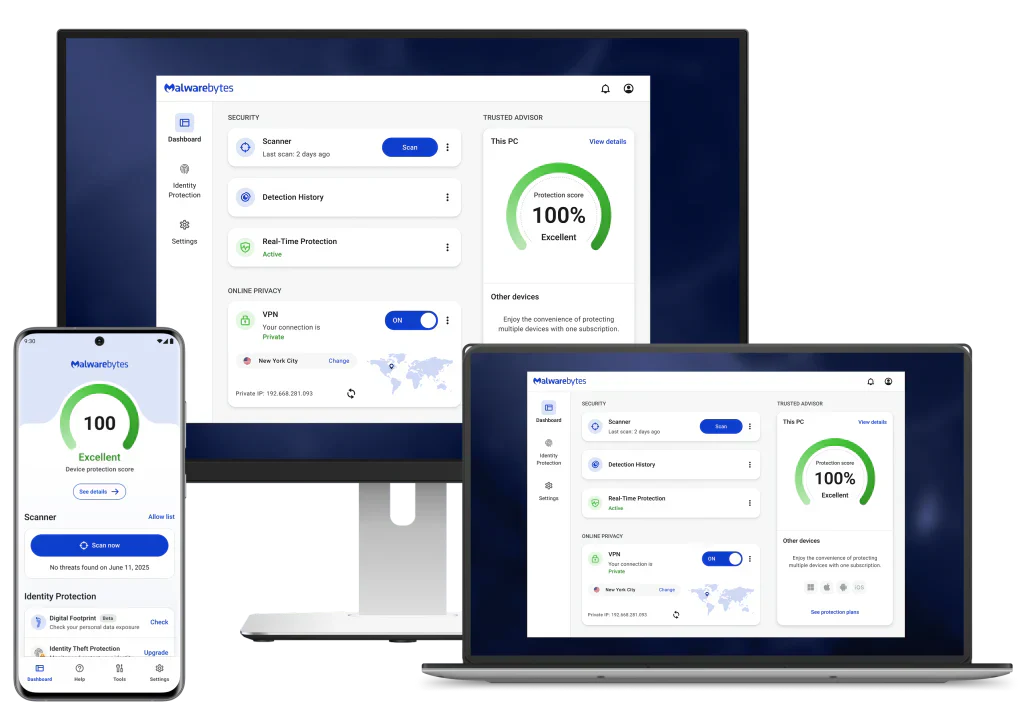
Malwarebytes: Protección todo en uno — Antivirus, VPN y protección contra estafas
Si ha estado usando un PC con Windows por un tiempo, ya conoce lo básico: no haga clic en enlaces sospechosos, evite descargas dudosas y mantenga su software actualizado. Pero aquí está la incómoda verdad: la conciencia básica ya no es suficiente. Las ciberamenazas se han vuelto más inteligentes, rápidas y mucho más engañosas de lo que eran hace solo tres años. Hoy en día, necesita una solución que trabaje tan duro como los atacantes.
Presentamos Malwarebytes — uno de los nombres más confiables en ciberseguridad, que ofrece una suite todo en uno que combina protección antivirus, una VPN integrada y detección inteligente de estafas. Ya sea que sea un usuario doméstico que gestiona un solo portátil o alguien que trabaja de forma remota y maneja datos sensibles, Malwarebytes Premium está diseñado para cubrir todas sus necesidades.
Desglosemos lo que ofrece, por qué es importante y, lo que es más importante, por qué la versión de Windows que utiliza juega un papel más importante en su seguridad de lo que podría pensar.
¿Qué es Malwarebytes?
Malwarebytes es una empresa de software de ciberseguridad que ha estado luchando contra el malware desde 2008. Lo que comenzó como una herramienta especializada de malwarebytes anti-malware ha evolucionado hasta convertirse en una plataforma de seguridad con todas las funciones en la que confían millones de usuarios en todo el mundo.
La versión gratuita de Malwarebytes le permite realizar análisis bajo demanda para detectar y eliminar amenazas existentes. Pero el verdadero poder reside en Malwarebytes Premium, un escudo proactivo y en tiempo real que detiene las amenazas antes de que puedan afianzarse en su sistema.
¿Qué incluye Malwarebytes Premium?
1. Protección antivirus en tiempo real
El núcleo de Malwarebytes Antivirus es su motor de protección en tiempo real. A diferencia de las herramientas antivirus tradicionales que dependen en gran medida de las bases de datos de firmas (listas de amenazas conocidas), Malwarebytes utiliza la detección basada en el comportamiento. Esto significa que puede identificar y bloquear amenazas nuevas, incluidos los ataques de día cero, incluso antes de que se haya creado una firma oficial.
Protege activamente contra:
- Virus y gusanos: programas que se autorreplican y corrompen o eliminan sus archivos
- Ransomware: software malicioso que bloquea sus archivos y exige un pago
- Troyanos: programas disfrazados de software legítimo
- Spyware: software que monitorea secretamente su actividad
- Rootkits: malware profundamente incrustado que se oculta de su sistema operativo
Para los usuarios de Windows, esta capa de protección siempre activa es crítica, especialmente porque Windows sigue siendo el sistema operativo más atacado del mundo simplemente debido a su enorme base de usuarios.
2. VPN (Red privada virtual)
Malwarebytes Premium incluye una VPN integrada que encripta su conexión a internet, protegiendo sus datos de intrusos, ya sea un hacker en una red Wi-Fi pública o su ISP rastreando sus hábitos de navegación.
La VPN es especialmente útil cuando:
- Se conecta a Wi-Fi pública en cafeterías, aeropuertos u hoteles
- Accede a cuentas sensibles (bancarias, de correo electrónico) desde redes desconocidas
- Desea mantener la privacidad general mientras navega
Tener la VPN incluida directamente en su software Malwarebytes significa una suscripción menos que administrar y un panel unificado para controlar su seguridad.
3. Protección contra estafas (Browser Guard y protección de llamadas)
Una de las características destacadas de Malwarebytes moderno es su tecnología Scam Guard. Las estafas en línea se han disparado en los últimos años, desde páginas falsas de soporte técnico que imitan a Microsoft hasta correos electrónicos de phishing que se parecen exactamente a las comunicaciones de su banco.
La protección del navegador de Malwarebytes bloquea:
- Sitios web de phishing que roban sus credenciales de inicio de sesión
- Anuncios fraudulentos diseñados para engañarlo para que descargue software falso
- Redirecciones maliciosas que lo llevan silenciosamente a páginas peligrosas
- Scripts de cryptojacking que secuestran su CPU para minar criptomonedas
Esta capa funciona en tiempo real mientras navega, señalando las amenazas antes de que la página se cargue por completo.
Descarga de Malwarebytes: para empezar
Configurar la descarga de Malwarebytes en su PC con Windows es sencillo:
- Visite el sitio web oficial de Malwarebytes (malwarebytes.com)
- Elija entre la versión gratuita o inicie una prueba Premium
- Ejecute el instalador; tarda menos de dos minutos
- Deje que se complete el análisis inicial
- Active la protección en tiempo real (Premium) utilizando la clave original comprada en SoftwareDiscountUSA
El software es ligero y está diseñado para coexistir con Windows Defender sin conflictos, por lo que no necesita desinstalar nada para empezar.
El problema de la versión de Windows del que nadie habla
Aquí es donde las cosas se ponen serias, y donde muchos usuarios intermedios de Windows tienen un punto ciego.
El software de Malwarebytes puede hacer mucho, pero funciona en colaboración con su sistema operativo. Si está utilizando una versión desactualizada de Windows, esencialmente está luchando contra los ciberdelincuentes con una mano atada a la espalda.
Windows 7 y Windows 8.1: el fin de la vida útil significa el fin de la seguridad
Microsoft finalizó el soporte principal para Windows 7 en enero de 2020 y para Windows 8.1 en enero de 2023. "Fin de la vida útil" no solo significa que no habrá nuevas funciones, sino que significa que no habrá más parches de seguridad. Cada vulnerabilidad descubierta después de esas fechas permanece permanentemente sin parchear.
Cuando los investigadores de seguridad o los hackers descubren una falla en Windows 7 o 8.1, y encuentran nuevas regularmente, no hay solución. Nunca. Su sistema está permanentemente expuesto a esa vulnerabilidad.
Los ciberdelincuentes se dirigen activamente a los sistemas al final de su vida útil porque saben que estas máquinas no recibirán parches. Existen mercados enteros en la dark web que comercian con exploits de Windows 7 específicamente porque muchos usuarios todavía lo usan.
Windows 10: acercándose a su propio fin
Incluso Windows 10 se acerca al final de su soporte: Microsoft ha fijado octubre de 2025 como la fecha de fin de vida útil de Windows 10. Si sigue utilizando Windows 10 después de esa fecha sin un acuerdo de actualización de seguridad extendida (ESU) de pago, estará en la misma situación que los usuarios de Windows 7 hoy en día.
Por qué debería actualizar a Windows 11
Windows 11 es el sistema operativo más seguro de Microsoft hasta la fecha, construido con los requisitos de seguridad modernos en su núcleo:
- Requisito de TPM 2.0: garantiza el cifrado a nivel de hardware y el arranque seguro
- Virtualization-Based Security (VBS): aísla los procesos sensibles del resto del sistema operativo
- Smart App Control: bloquea la ejecución de aplicaciones no reconocidas o maliciosas
- Protección contra phishing mejorada: le advierte cuando introduce contraseñas en aplicaciones no confiables
Cuando Malwarebytes se ejecuta en Windows 11, puede aprovechar estas protecciones a nivel del sistema operativo, creando una defensa multicapa que es drásticamente más robusta que cualquier cosa que se pueda lograr en versiones anteriores de Windows.
Si su hardware es compatible con Windows 11, actualizar es una de las decisiones de seguridad más impactantes que puede tomar.
Por qué necesita ambos: Windows 11 + Malwarebytes Premium
Piénselo de esta manera: la seguridad integrada de Windows 11 es como la cerradura de su puerta principal. Es sólida, moderna y funciona bien. Pero Malwarebytes Premium es como tener un sistema de cámaras de seguridad, sensores de movimiento y un servicio de monitoreo 24/7, capas que detectan lo que la cerradura de la puerta por sí sola podría pasar por alto.
Windows Defender (integrado en Windows 10 y 11) ha mejorado significativamente a lo largo de los años, pero no ofrece:
- Reversión de ransomware basada en el comportamiento
- Bloqueo de estafas y phishing a nivel del navegador
- Una VPN integrada
- Protección anti-exploit dedicada para navegadores y aplicaciones
Malwarebytes cubre todas esas brechas.
¿Quién debería usar Malwarebytes Premium?
- Trabajadores remotos que manejan correos electrónicos de la empresa y documentos sensibles
- Compradores y usuarios de banca en línea que desean conexiones cifradas
- Familias con niños que navegan libremente (y a veces, imprudentemente)
- Cualquiera que use un PC con Windows conectado a internet — que es esencialmente todo el mundo
Veredicto final
Malwarebytes se ha ganado su reputación como una de las soluciones de seguridad más efectivas y fáciles de usar disponibles. Con Malwarebytes Premium, obtendrá protección antivirus en tiempo real, una VPN integrada y bloqueo inteligente de estafas, todo en un solo paquete, todo desde un único panel.
Pero recuerde: incluso el mejor software malwarebytes anti-malware funciona mejor cuando su sistema operativo está actualizado y es compatible. Si todavía usa Windows 7, 8.1 o incluso Windows 10 a medida que se acerca el final de su vida útil, ahora es el momento de planificar su actualización a Windows 11.
Actualice su sistema operativo. Descargue Malwarebytes. Navegue con confianza.
¿Listo para proteger su PC? Compre con confianza en SoftwareDiscountUSA.com y comience hoy mismo con Malwarebytes Premium.