

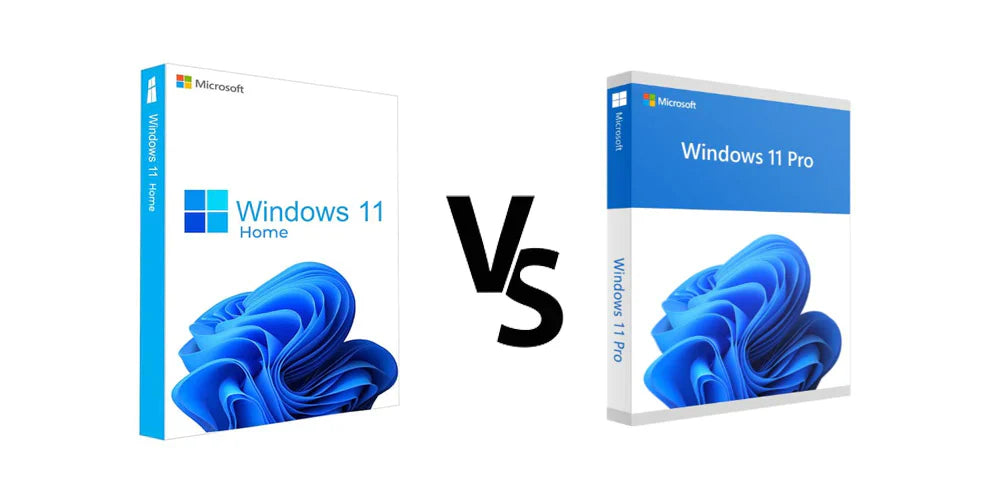
Windows 11 Home vs Pro: Differences, Price and Which to Buy (2026)
Short version: Windows 11 Home is enough for most home users and gamers. Get Pro if you need BitLocker, Remote Desktop access to your PC, Hyper-V, or to join a work network.
Both editions run the same apps and games at the same speed and get the same feature updates. The difference is security and business tools. Here's the full Windows 11 Home vs Pro comparison, and whether Pro is worth it.
Windows 11 Home vs Pro: Feature Comparison
| Feature | Windows 11 Home | Windows 11 Pro |
|---|---|---|
| Apps, games and performance | Same | Same |
| Device encryption | Yes (on supported hardware) | Yes |
| BitLocker drive encryption | No | Yes |
| Remote Desktop: connect to this PC | No (can connect out only) | Yes |
| Hyper-V virtual machines | No | Yes |
| Windows Sandbox | No | Yes |
| Group Policy Editor | No | Yes |
| Join a work domain or Microsoft Entra ID | No | Yes |
| Microsoft list price | $139 | $199.99 |
| Our price | $98.99 | $108.49 |
Prices as of October 10, 2026. Here the gap between Home and Pro is about $10, compared with about $60 at Microsoft's list prices.
Who Should Get Windows 11 Home
- Everyday browsing, email, streaming and Microsoft Office.
- Gaming. Home and Pro perform the same in games.
- Students and family PCs that don't connect to a work network.
Who Should Get Windows 11 Pro
- You want BitLocker. Full drive encryption with more control than Home's device encryption, useful on laptops that leave the house.
- You want to reach this PC remotely with Microsoft Remote Desktop.
- You run virtual machines with Hyper-V or test files in Windows Sandbox.
- It's a work PC that needs to join a company domain or Microsoft Entra ID, or be managed with Group Policy.
Is Windows 11 Pro Worth It?
At Microsoft's prices, Pro costs about $60 more, so most home users can skip it. When the difference is closer to $10, Pro is an easy call for anyone who might want BitLocker or Remote Desktop later.
Can I Upgrade From Windows 11 Home to Pro?
Yes, without reinstalling. Go to Settings > System > Activation > Change product key and enter a Windows 11 Pro key. Your files and apps stay put.
Windows 11 Requirements (Both Editions)
Home and Pro have the same minimum requirements: a compatible 64-bit processor with 2+ cores at 1 GHz or faster, 4 GB of RAM, 64 GB of storage, UEFI with Secure Boot, and TPM 2.0. Home and Pro also need an internet connection and a Microsoft account during setup for personal use. Coming from Windows 10? See Windows 10 end of life: what to do now.
Frequently Asked Questions
What is the difference between Windows 11 Home and Pro?
Pro adds BitLocker encryption, Remote Desktop hosting, Hyper-V, Windows Sandbox, Group Policy and the ability to join a work domain or Microsoft Entra ID. Apps, games and performance are the same.
Is Windows 11 Pro better for gaming?
No. Games run the same on Home and Pro.
Is Windows 11 Pro worth it?
If you want BitLocker, Remote Desktop or virtual machines, or it's a work PC, yes. For basic home use, Home is enough.
Can I upgrade Windows 11 Home to Pro?
Yes. Enter a Windows 11 Pro product key in Settings > System > Activation. You don't need to reinstall.
Does Windows 11 Home have encryption?
Home has device encryption on supported hardware. BitLocker, with more control, is only in Pro.
How much does Windows 11 Pro cost?
Microsoft lists Windows 11 Pro at $199.99 and Home at $139. Our prices are $108.49 for Pro and $98.99 for Home as of October 10, 2026.
Sources
- Microsoft: Windows 11 specifications and requirements
- Microsoft: Device encryption in Windows
- Microsoft: Install Hyper-V
- Microsoft: How to use Remote Desktop
- Microsoft Store: Windows 11 Pro
Last reviewed October 10, 2026.