


Description
Work from anywhere with Office 2019 Home and Business
The Office 2019 Home & Business suite includes professional apps like Word, Excel, PowerPoint, and Outlook to meet all your needs. You can easily save files in a variety of formats and share content with anyone you want. Get your projects out to teammates, colleagues, your boss, or clients in an instant via OneDrive, email, or file sharing.
Office 2019 is fully cloud-enabled, touchscreen-optimized, and accessible through Microsoft Web Apps, so you can work from any device, anywhere.
The upgraded Word, Excel, PowerPoint, and Outlook have been thoughtfully enhanced with new time-saving features and a sleek modern look.
Discover the Power of Office Home and Business 2019
Home and Business users get immediate access to Outlook 2019, which handles email and personal time management. It's easier than ever to schedule meetings, and appointments, set reminders, and send professional messages. This is an essential tool for any business - don't miss your chance to get it.
Running your own business is a great and exciting feeling at times, who doesn't want to be their boss? Microsoft Office as a whole makes it easier for you to manage and organize your business.
The Office Home and Business 2019 suite also takes into account the stressful and overwhelming elements of being a business owner. Microsoft has developed the Home and Business editions to help you reduce your workload, be more productive, and find better solutions to your problems.
With a one-time purchase and download, you'll be able to use Outlook, Excel, Word, and PowerPoint. These are the same classic applications you're used to using before using Office, but they've gotten better over time. The new features are designed more intuitively to allow you to work more efficiently and create more professional documents.
Looking for the Windows release? Click here!
Office 2019 Home & Business comes with the software you already know and love, including Excel, PowerPoint, Word, and Outlook. This package includes all the software you need to run your business, plus upgrades that take advantage of the new generation of Mac computers. Use the new Touch Bar, Siri's speech recognition, and more when working in the Office.
All the applications you get come with many upgrades from the 2016 versions. Don't miss the new features, improvements, and enhancements to your Office experience on Mac.
Make your projects more accessible by saving files in multiple file formats. Easily share these documents via Outlook, OneDrive, AirDrop, or any file-sharing service.
Office 2019 Home Business for Mac is perfect for small business owners who work primarily on Mac systems. Make organizing your business easier with the best suite available on the market. Buy it once, and you can download all the essential Office tools on your Mac.
Additionally, Office 2019 Home and Business users also get a OneDrive account to easily save and share all documents. OneDrive works like magic when it comes to cloud services – it will automatically save your files, sync them across different devices, and allow you to access them from anywhere.
Features
The next-generation productivity suite
Office 2019 delivers features across apps to help users create amazing content in less time with improved office apps.
The Home & Business edition of Office 2019 is perfect for individuals who want to utilize Office tools in their business lives. Get instant access to classic* Office applications and more, with features excelling any previous non-subscription-based release.

Word 2019
Get work done easier. Work more naturally with new and improved inking features like the roaming pencil case, pressure sensitivity, and tilt effects.
- Create, edit, and share your documents with your coursemates and colleagues.
- Edit photos hassle-free with the improved Word features.
- Customize your tab commands to fit your needs. This helps you navigate through your tasks effortlessly.
- Use “Tell Me” to look up for things you want to be done.
Excel 2019
Perform better data analysis. Excel 2019 adds powerful new data analysis features, including new formulas and charts and enhancements to PowerPivot.
- Funnel charts, 2D maps, and timelines.
- New Excel functions and connectors
- Ability to publish Excel to PowerBI
- PowerPivot enhancements
- PowerQuery enhancements


Powerpoint 2019
Create more impactful content. In PowerPoint 2019, you can create cinematic presentations with new features like Morph and Zoom.
- Zoom capabilities for ordering of slides within presentations
- Morph transition feature
- Ability to insert and manage Icons, SVG, and 3D models
- Improved roaming pencil case
Outlook 2019
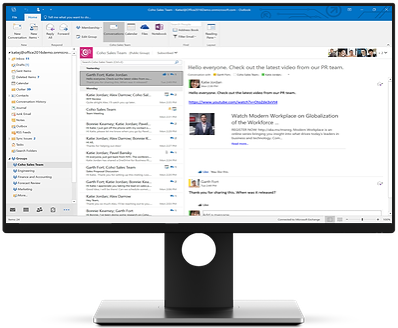
Manage email more efficiently. Focus Mode blocks out distractions and puts your content front and center. And Focused Inbox moves less important emails out of the way—so you can get straight to taking care of business.
- Updated contact cards
- Office 365 Groups (requires Exchange online account)
- @mentions
- Focused inbox
- Travel and delivery summary cards

* OneNote is absent from the suite as the UWP version of OneNote bundled with Windows 10 replaces it. OneNote 2019 can be installed as an optional feature on the Office Installer.
System requirements
MAC
- Microsoft account.
- Internet access.
- Intel processor.
- Mac OS Extended or APFS
- MacOS: Office 2019 for Mac is supported on the three most recent versions of macOS (macOS 12 Monterey, macOS 13 Ventura & macOS 14 Sonoma & newer)
- 4 GB RAM.
- 10 GB available disk space.
- 1280× 768 screen resolution.
Compare Editions
Microsoft Office Home and Business 2019 MAC License
Software Includes:
Key Benefits:
- Install for one device
- One-time purchase for 1 person
- Licensed for home and business use
- Runs on macOS 12 Monterey, macOS 13 Ventura & macOS 14 Sonoma & newer versions
- Classic 2019 version of Word, Excel, PowerPoint, and Outlook.
- Lifetime support
OneNote is absent from the suite as the UWP version of OneNote bundled with Windows 10 replaces it. OneNote 2019 can be installed as an optional feature on the Office Installer.
One-time payment
No software subscription
Not sure it’s the right fit? ask us.
Not sure which edition?
Pick by how you’ll use it.

Get more with Microsoft Office 2016 for Mac Stay organized and boost productivity while creating great-looking...
Choose →
Work From Anywhere with Office 2019 Home and Business The Office 2019 Home & Business suite...
Choose →
Comprehensive and Versatile Suite for Modern Workspaces Microsoft Office 2021 delivers features across applications to help...
Choose →