


Microsoft 365 vs Office 2024: Which Should You Buy?
If you're buying Office and you've run into the "Microsoft 365 or Office 2024?" question, here's the short version: one is a yearly subscription, the other you pay for once. Almost everything else follows from that. Below we'll walk through what each one actually gives you, who each is a better fit for, and how to keep the cost down either way.
The core difference: rent vs. own
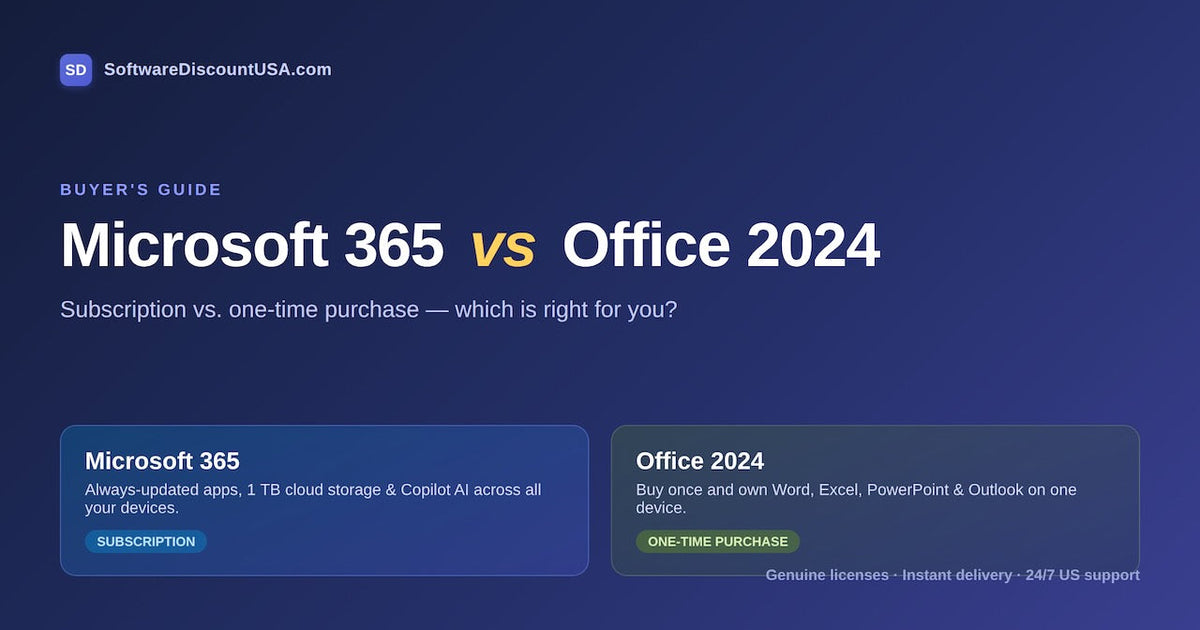
Microsoft 365 is a subscription. You pay yearly, and in return the apps keep getting new features, you get cloud storage, and you can install everything across your devices. Stop paying and the apps eventually stop working.
Office 2024 is the "buy it once" version. You pay a single price, install it on one computer, and it's yours to keep. You'll still get security patches, but you won't get new features down the road, and there's no cloud storage or AI built in. When the next version of Office lands, you'd buy that separately if you wanted it.
That's really the whole decision in a nutshell. The rest is about which trade-off fits how you work.
What you get with Microsoft 365
A Microsoft 365 subscription is built for people who live across a few devices and want the newest stuff without thinking about it. You get:
- The full set of apps — Word, Excel, PowerPoint, Outlook, plus Access and Publisher on Windows — always kept up to date.
- 1 TB of OneDrive cloud storage per person, so your files follow you between machines.
- Copilot AI features inside the desktop apps.
- Installation across your phone, tablet, laptop and desktop, signed in on up to five at once. The Family plan shares that with up to five other people.
If you've got a laptop and a desktop and a phone, or a household full of devices, this is usually the one that makes sense. Microsoft 365 comes in a few flavors — Personal for one user, Family for up to six, and Business plans for teams.
What you get with Office 2024
Office 2024 is the straightforward option: pay once, install on one PC or Mac, done. It's a good match if you mainly work from a single computer and you'd rather not have a recurring bill on the calendar.
It comes in three editions:
- Home — Word, Excel, PowerPoint and OneNote. Fine for students, families and everyday use.
- Home & Business — adds Outlook, which is the one most professionals end up needing.
- Professional — the full set, including Access and Publisher, for power users on Windows.
The catch to keep in mind: no new features after release, no OneDrive storage, and no Copilot. You're buying today's Office and keeping today's Office.
So which should you buy?
Choose Microsoft 365 if…
you use Office on more than one device, you want Copilot and the newest features as they roll out, you'd use the 1 TB of cloud storage, or you're setting up a household (the Family plan splits nicely across six people).
Choose Office 2024 if…
you work from one computer, you want to pay once and be done, and you don't care about AI features or cloud storage. Plenty of people just want Word and Excel that works — this is that.
One more angle worth thinking about: how long you'll use it. A one-time purchase can be the cheaper path if you tend to keep the same version for years. A subscription tends to win if you value always being current and using it everywhere. There's no universally "right" answer, just the one that matches your habits.
A note on price
Whichever way you go, you don't have to pay full retail. At SoftwareDiscountUSA we've been selling genuine Microsoft licenses for over a decade as a Microsoft Solutions Partner, and our prices sit well below list. Every license is the real thing, delivered by email within minutes of checkout, and our US-based team is around 24/7 if you get stuck installing. Check the current pricing on the Microsoft 365 and Office 2024 pages — and if you only need one app, you can also buy Word, Excel or PowerPoint on their own.
Common questions
Still not sure which fits? Reach out to our team — we'll help you pick the right option for your setup before you buy.